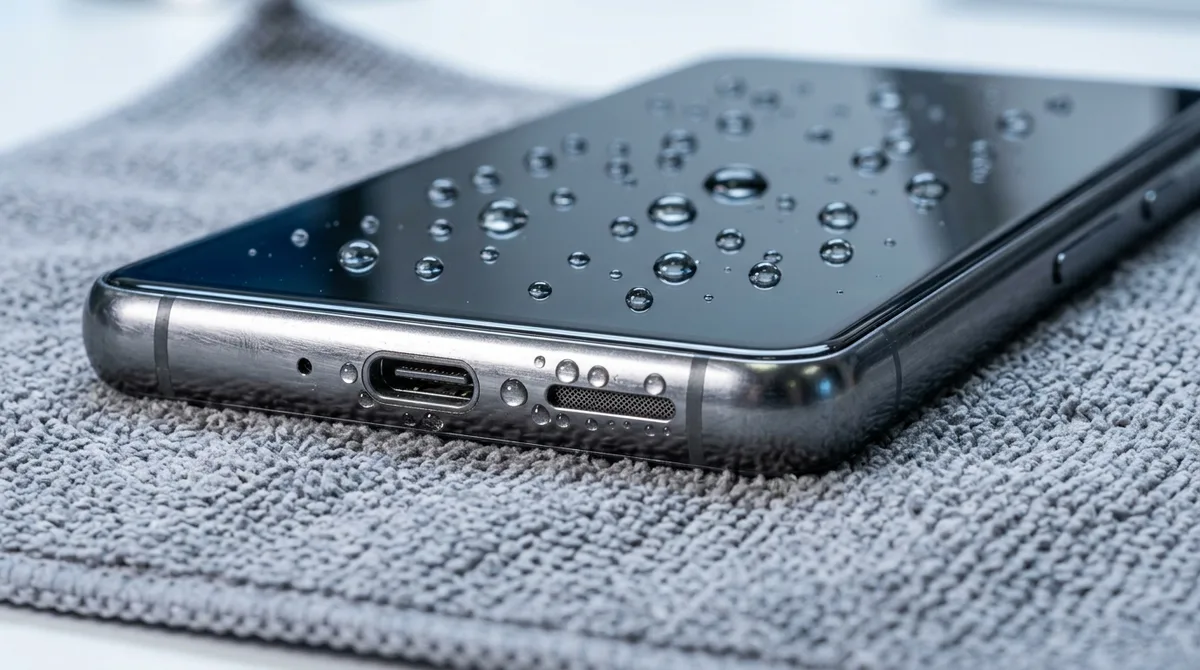
A wet phone is a race against corrosion, and most permanent damage comes from doing the wrong thing in a panic. Work through the immediate steps below first, then read what to avoid — because some of the most popular "fixes" are the ones that kill phones.
Do This Immediately
- Get it out of the water and power it off. A phone that is on while wet can short internally. Do not check if it "still works."
- Wipe it dry with a soft cloth, and remove the case, SIM tray, and anything else you can open.
- Hold it with the ports facing down and gently shake to drain standing water from the charging port and speaker grilles.
- Lay it on a dry towel in front of a fan at room temperature. Moving air is your best friend here.
- Wait before charging. This is the single most important rule — see the timing below.
What NOT to Do
These are the moves that turn a recoverable phone into a paperweight:
- Do not use rice. It is slow, it does not pull moisture from inside sealed components, and starch dust gets into the ports.
- Do not use a hair dryer — even on cool. Forced heat can melt water-resistant adhesives and push standing water deeper inside.
- Do not put it in the freezer. Freezing water expands and can crack internal components.
- Do not charge it wet. Sending current through a damp charging port is a leading cause of permanent failure.
Getting Water Out of the Speaker
If sound is muffled after drying, water is likely trapped in the speaker cavity. "Water eject" tools work by playing a specific low-frequency tone that vibrates the droplets out through the speaker mesh — the same trick the Apple Watch uses. They are genuinely effective for surface water in the speaker, but they cannot clear moisture that has seeped elsewhere. If the speaker stays muffled after several cycles, internal moisture or early corrosion is present.
How Long to Wait Before Turning It On
Give it 48 to 72 hours. Even when the outside feels dry, moisture can sit under the components on the motherboard, and powering up early is the classic mistake. Patience genuinely improves the odds.
How to Tell If the Damage Is Permanent
Water damage is progressive — a phone can work today and fail next week as corrosion spreads. Watch for these signs:
- The Liquid Contact Indicator: a small white sticker (inside the SIM slot on most iPhones and Samsungs) that turns red or pink after liquid exposure. A red dot usually voids the standard warranty.
- Blurry patches or dark spots under the glass, or a foggy camera lens — that is moisture reaching the display and optics.
- "Ghost touch," soft or dead buttons, or Face ID / fingerprint failure.
If you see these after drying, or the phone went into salt or toilet water, a professional ultrasonic board cleaning (roughly $100–$350) is the realistic next step before corrosion sets in.
Water Damage Repair Cost Reference
| Service | Typical cost (US) |
|---|---|
| Surface cleaning / drying | $0–$75 |
| Speaker replacement | $60–$150 |
| Charging port repair | $75–$180 |
| Ultrasonic board cleaning | $100–$350 |
| Full logic board repair | $300–$600+ |
Is Your Warranty Still Valid?
Most standard warranties from Apple, Samsung, and Google do not cover liquid damage, even on water-resistant phones. However, supplemental plans like AppleCare+ or Samsung Care+ typically cover liquid damage for a flat deductible, usually between $29 and $99. Check the Liquid Contact Indicator (a small sticker inside the SIM slot that turns red on exposure) to know whether the manufacturer will consider it liquid-damaged.
Frequently Asked Questions
How long should I let my phone dry before turning it on?
At least 48 to 72 hours. Even when the exterior feels dry, moisture can remain under the motherboard components, and powering on too early is the most common cause of permanent failure.
Does putting a phone in rice work?
No. Rice is slow, does not pull moisture from inside sealed components, and can introduce starch dust into the ports. Airflow from a fan at room temperature is far more effective.
Can a water eject app fix a muffled speaker?
Yes, for surface water in the speaker cavity — the tone vibrates droplets out through the mesh. It cannot clear moisture elsewhere in the phone.