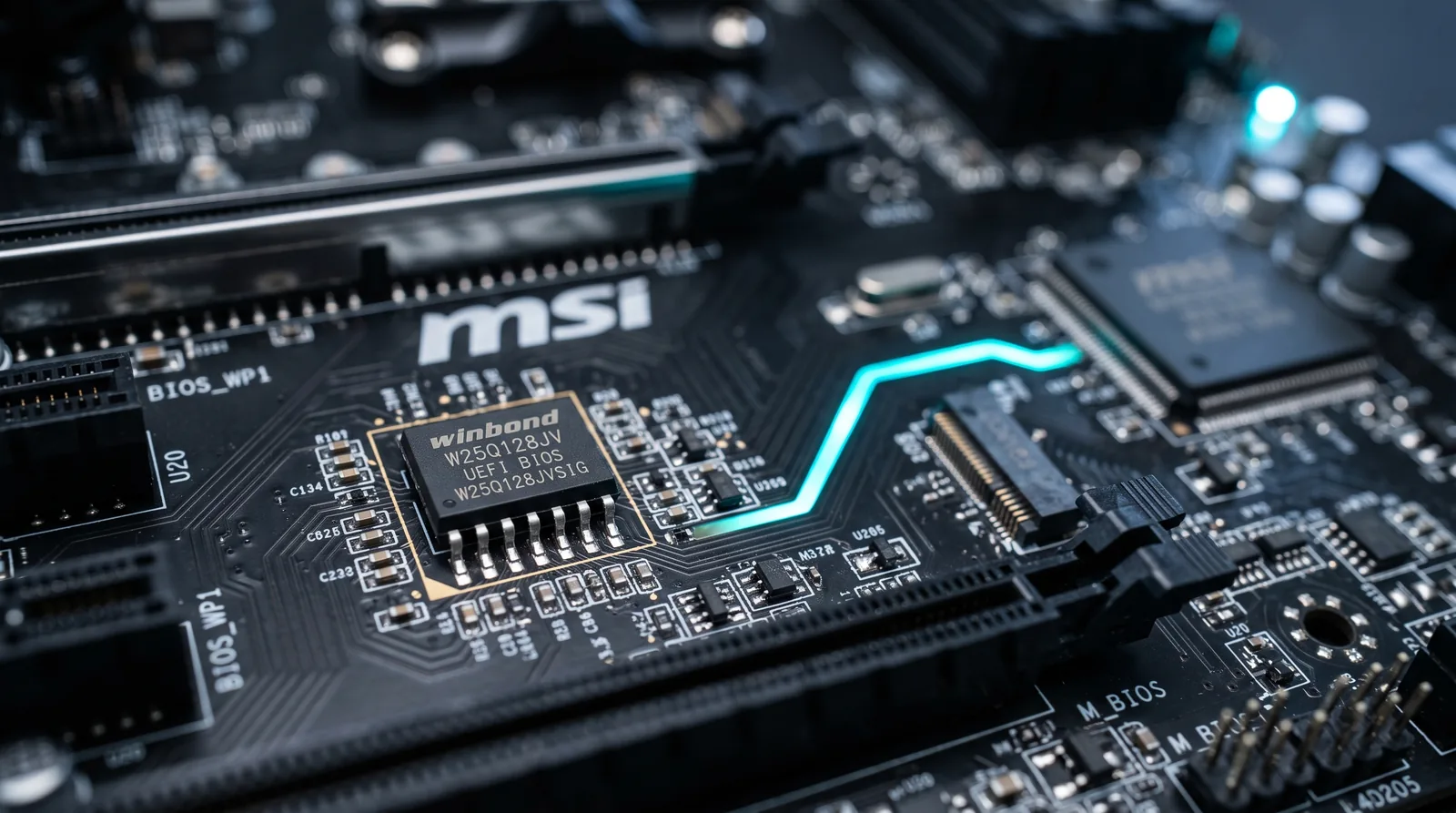
Secure Boot is a UEFI firmware feature that checks a cryptographic signature on every piece of code involved in starting your computer, and refuses to execute anything unsigned or signed by an untrusted key. If verification fails, the machine stops rather than booting.
Most people encounter it for the first time when something breaks — a Windows 11 install refuses to proceed, a competitive game won't launch, or a Linux installation stops at a security violation screen. Understanding what it is actually defending against explains all three.
The Threat: Code That Runs Before Your Antivirus Exists
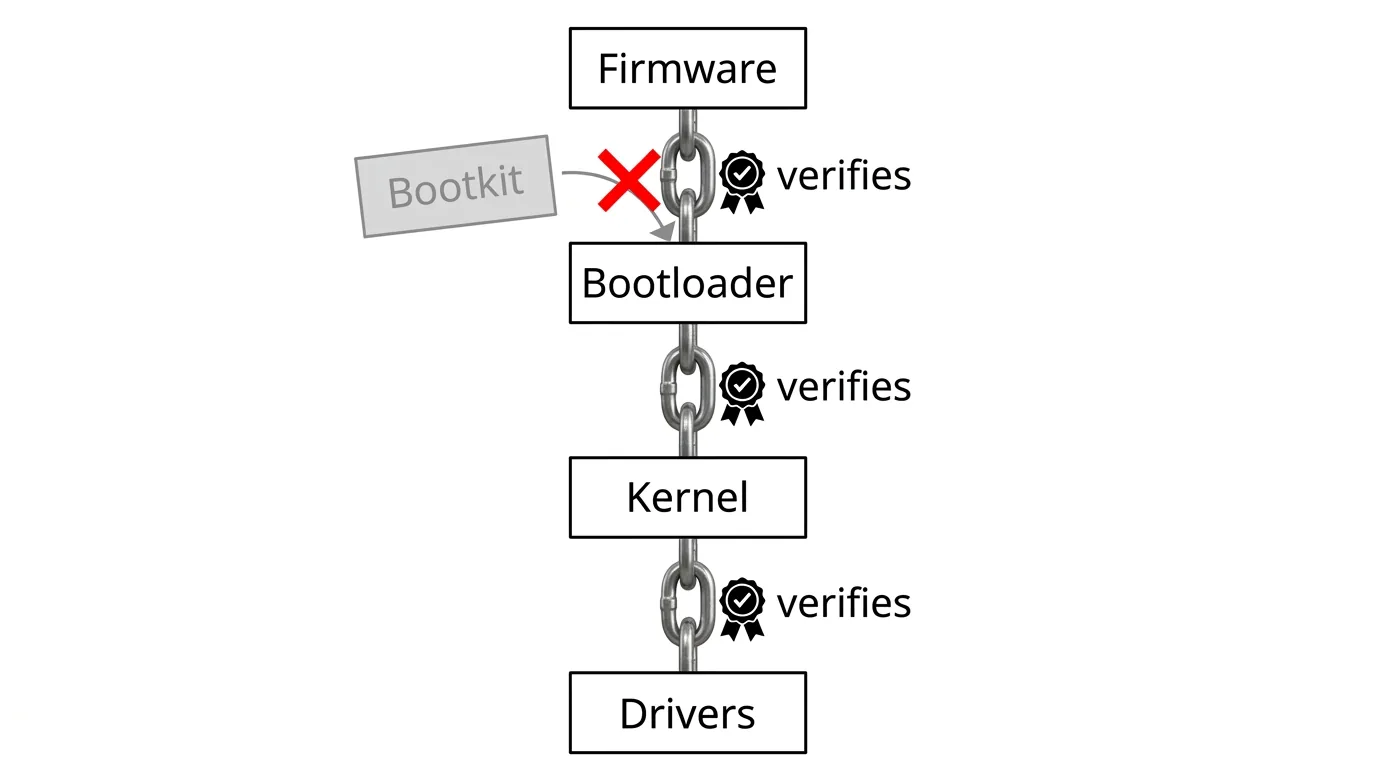
Antivirus software is a program. Programs run on an operating system. The operating system is loaded by a bootloader, which is loaded by firmware. That ordering is the vulnerability.
A bootkit is malware that installs itself into the boot chain, ahead of the operating system. Because it runs first, it can modify the OS as it loads — hiding its own files, disabling security services, and lying to every tool that later asks whether the system is clean. Security software cannot detect it reliably, because the thing it would use to look has already been compromised by the thing it is looking for.
Reinstalling the operating system does not necessarily remove it, since the infection lives below the OS. This is why bootkits are among the most valuable and persistent malware categories, and why the defence had to be pushed down into firmware.
How the Chain of Trust Works
Secure Boot builds trust upward, each stage verifying the next before handing over control:
- Firmware starts and reads keys stored in protected non-volatile memory.
- It verifies the bootloader's signature against the allowed database. No valid signature, no execution.
- The verified bootloader verifies the OS kernel before loading it.
- The kernel verifies signed drivers before they load.
Break any link and the chain stops. The security property is not that malware cannot exist — it is that malware cannot insert itself before the defences.
The Four Key Databases
| Key | Role |
|---|---|
| PK — Platform Key | The root of trust. Held by the hardware manufacturer; controls who may change the other keys. |
| KEK — Key Exchange Key | Authorises updates to the allow and deny lists. Typically includes OS vendor keys. |
| db — Signature Database | The allow list: signatures and hashes permitted to run. |
| dbx — Forbidden Database | The deny list: revoked signatures for boot code found to be vulnerable. |
The dbx list is the underappreciated one. When a signed bootloader is later found to contain a bypass vulnerability, its signature is added to dbx and pushed out as a firmware update — retroactively revoking trust in code that was legitimately signed. Delayed dbx updates are a recurring real-world weakness, because a revoked-but-not-yet-blocked bootloader remains exploitable on machines that haven't received the update.
Why Games Suddenly Require It
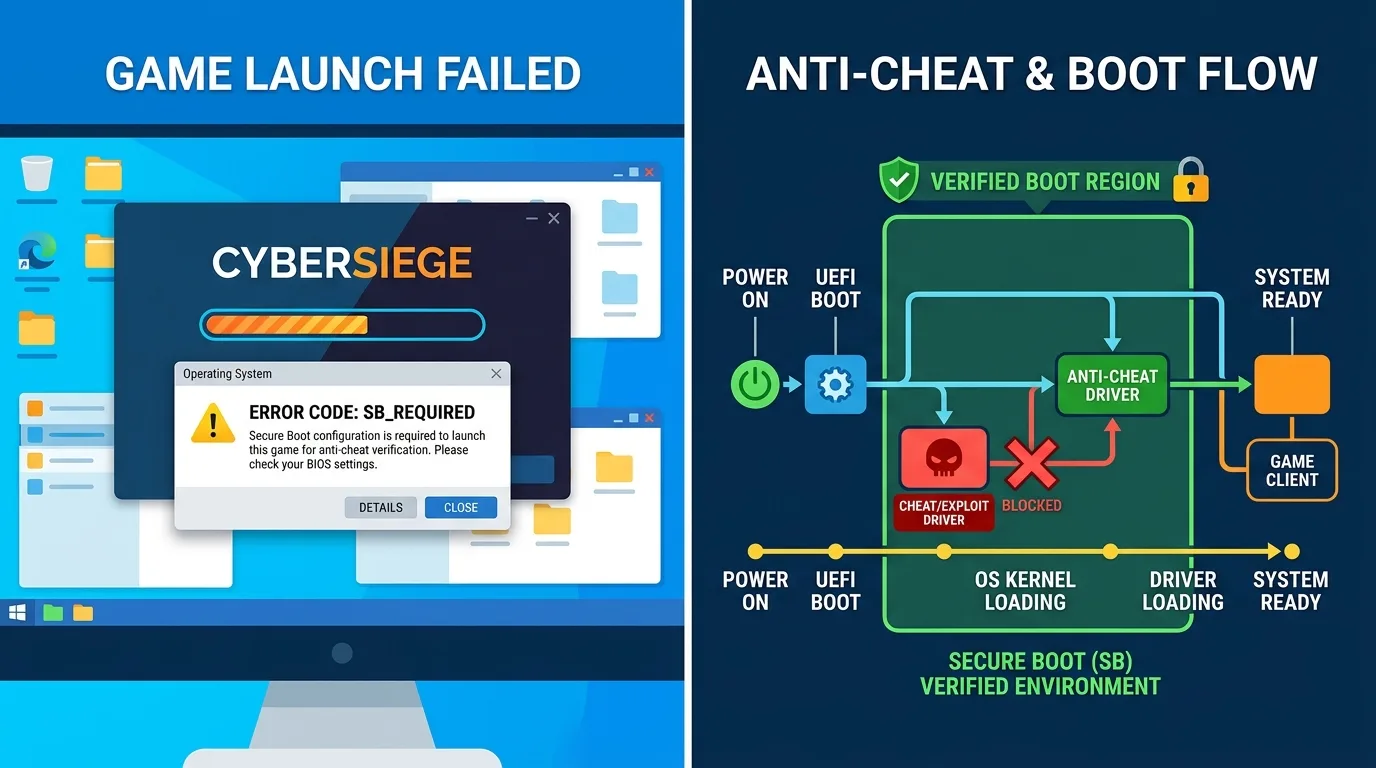
A growing number of competitive multiplayer titles refuse to launch without Secure Boot enabled. The reason is not arbitrary: modern anti-cheat systems run at kernel level, and a cheat that loads before the kernel can hide from them completely. Requiring Secure Boot raises the floor — it makes the cheat's job dramatically harder by ensuring the anti-cheat driver loads into a verified environment.
The community reaction, visible across r/pcgaming and r/techsupport, splits along a real line. One side notes that this is straightforwardly good security hygiene that most users should have had enabled anyway. The other objects that kernel-level anti-cheat plus mandatory firmware settings amounts to game publishers dictating how you configure your own machine, and that it disproportionately inconveniences Linux users and people running older hardware. Both positions are defensible; neither is a misunderstanding of the technology.
Checking and Enabling It
To check on Windows: press Win+R, run msinfo32, and look for "Secure Boot State" in System Summary. "On" means enabled; "Unsupported" usually means the machine is booting in legacy BIOS mode rather than UEFI.
To enable it: the setting lives in UEFI firmware setup, usually under Boot or Security. Two prerequisites catch people out:
- The disk must use GPT partitioning, not MBR. Secure Boot requires UEFI mode, and UEFI boot requires GPT. Windows includes a conversion tool that can convert without data loss, but back up first.
- CSM (Compatibility Support Module) must be disabled. CSM provides legacy BIOS compatibility and is mutually exclusive with Secure Boot. Disabling it on a system installed in legacy mode will make it unbootable until you convert the disk.
The correct order is: confirm UEFI mode → convert to GPT if needed → disable CSM → enable Secure Boot. Doing these out of order is the most common cause of a machine that won't start afterwards, and it is entirely recoverable by re-enabling CSM.
Secure Boot and Linux
The common belief that Secure Boot blocks Linux is out of date. Major distributions ship a shim — a small bootloader signed by Microsoft's third-party UEFI CA, which is trusted in most consumer firmware — that then loads the distribution's own signed bootloader. Mainstream distributions install and run with Secure Boot enabled without intervention.
Where friction genuinely remains: out-of-tree kernel modules, notably proprietary graphics drivers and virtualisation modules, must be signed with a Machine Owner Key that you enrol yourself. Custom-compiled kernels need the same treatment. These are solvable but are real obstacles for users who compile their own kernels, and they are the substance behind the objection that Secure Boot centralises trust in a small number of signing authorities.
When It Is Reasonable to Disable It
Secure Boot should be on for the overwhelming majority of users. Legitimate reasons to turn it off:
- Running an operating system with no signed bootloader available.
- Booting certain recovery, forensic, or diagnostic media.
- Kernel development or driver work requiring unsigned modules.
- Older hardware whose firmware implementation is genuinely broken.
Not legitimate reasons: a random forum post suggested it, or an unfamiliar program asked you to. Disabling Secure Boot to make one application work removes a defence against an entire class of persistent malware. If you disable it temporarily, re-enable it afterwards. For a related look at how attacks arrive before defences are ready, see our explainer on what a zero-day vulnerability is.
What Secure Boot Does Not Do
It is a narrow, specific defence, and overestimating it is its own risk. Secure Boot does not protect against ordinary malware you run after boot, phishing, ransomware, malicious browser extensions, or compromised accounts. It does not encrypt anything — that is full-disk encryption's job, though the two are often used together, with the drive encryption keys released only when the boot chain measures as expected. It also does not guarantee the signed code is safe: signed bootloaders have shipped with bypass vulnerabilities, which is exactly what dbx exists to revoke.
Frequently Asked Questions
What does Secure Boot do?
It makes your firmware verify a cryptographic signature on the bootloader, kernel and boot drivers before allowing them to run. Anything unsigned or signed by an untrusted key is blocked, which prevents bootkits from inserting themselves ahead of the operating system and its security software.
Should Secure Boot be enabled?
For almost everyone, yes. It is required for Windows 11, increasingly required by competitive games with kernel-level anti-cheat, and it defends against a class of malware that survives operating system reinstallation.
Does Secure Boot slow down my computer?
No. Signature verification happens once during startup and adds a negligible amount of time. There is no effect on performance after boot.
Can I run Linux with Secure Boot enabled?
Yes. Mainstream distributions ship a signed shim bootloader and install normally with Secure Boot on. Friction remains only for out-of-tree kernel modules such as proprietary graphics drivers, which require enrolling a Machine Owner Key, and for custom-compiled kernels.
Why does my game require Secure Boot?
Because kernel-level anti-cheat can be defeated by cheats that load before the kernel does. Requiring Secure Boot ensures the anti-cheat driver loads into a verified boot environment, which makes that class of cheat far harder to deploy.
Is it safe to disable Secure Boot?
It is safe in the sense that nothing breaks immediately, but it removes protection against bootkits and rootkits that load before your operating system. Disable it only for a specific technical reason, and re-enable it once that reason no longer applies.