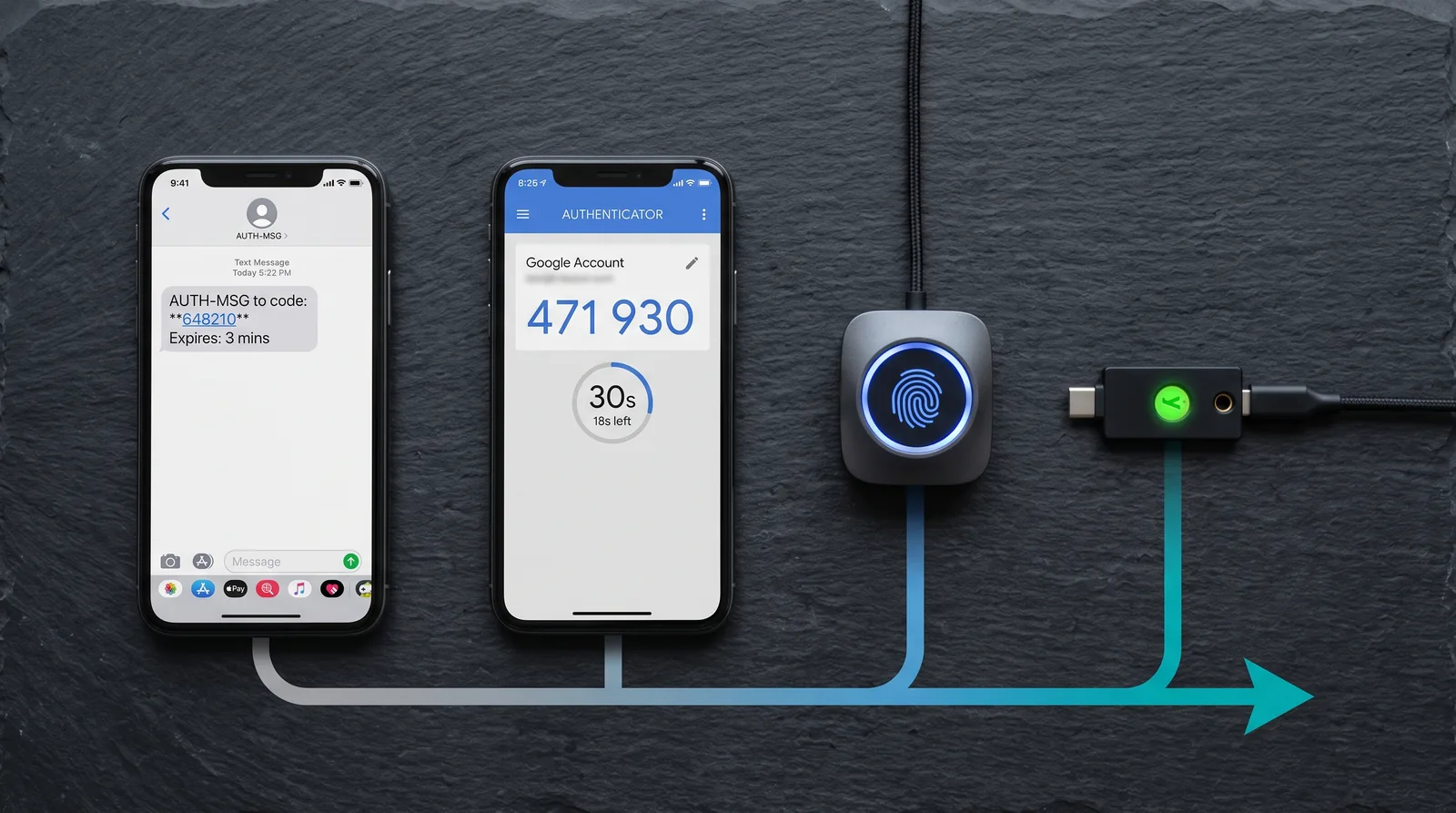
Two-factor authentication (2FA) requires two independent proofs of identity before granting access. Almost every explanation stops there, which leaves the most important question unanswered: the methods are not interchangeable, and the gap between the weakest and strongest is enormous.
Enabling the wrong kind of 2FA on your most important account can leave you meaningfully less protected than you believe. This is the ranking, and why the ordering is what it is.
The Three Factor Categories
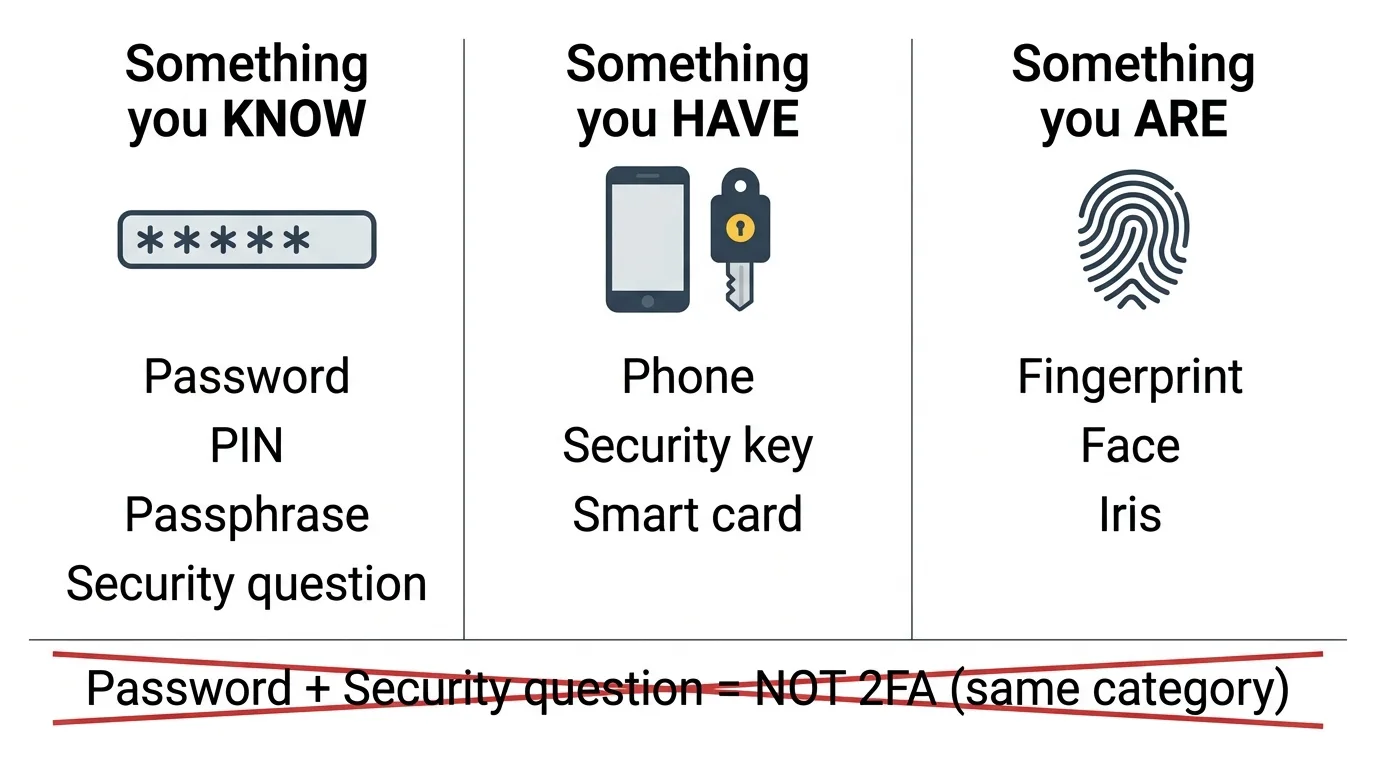
| Factor | Meaning | Examples |
|---|---|---|
| Something you know | Information in your head | Password, PIN, security question |
| Something you have | A physical object in your possession | Phone, security key, smart card |
| Something you are | A biological trait | Fingerprint, face, iris |
Genuine 2FA uses factors from two different categories. A password plus a security question is not 2FA — both are things you know, and both can be stolen the same way. This distinction is why security questions have largely been abandoned: your mother's maiden name is not a secret, it is a public record.
Terminology note: 2FA means exactly two factors; MFA (multi-factor authentication) means two or more. In practice they're used interchangeably.
The Methods, Ranked
5. SMS Codes — Better Than Nothing, and That Is the Full Endorsement
A six-digit code arrives by text message. It is by far the most widely deployed method because it requires nothing of the user beyond a phone number, and it does genuinely block the most common attack — credential stuffing, where a leaked password is tried against other services.
Its weaknesses are severe and well documented:
- SIM swapping. An attacker convinces your carrier to transfer your number to their SIM, using social engineering or a bribed employee. Every SMS code then arrives on their phone. This is not theoretical — it is the standard playbook for high-value account theft.
- Phishable. A fake login page asks for the code and relays it to the real site in real time. The code is valid; the attacker just borrowed it.
- Network interception. Signalling-network weaknesses allow message interception in targeted attacks.
- Delivery failure. Roaming and poor coverage lock you out of your own account.
The US National Institute of Standards and Technology has discouraged SMS as an authenticator for years. Use it where nothing better is offered — never on email, banking, or password manager accounts.
4. Push Notifications — Convenient, With a Specific Weakness
A prompt appears on your phone; you tap approve. Convenient and phishing-resistant in the narrow sense that there is no code to steal.
The failure mode is human: MFA fatigue. An attacker who has your password triggers prompts repeatedly — dozens overnight — until you approve one to stop the noise, or approve reflexively while distracted. Several major breaches have begun exactly this way.
The mitigation is number matching: the login screen displays a number you must type into the prompt. This defeats blind approval entirely, and it is worth enabling wherever offered.
3. Authenticator Apps (TOTP) — The Sensible Default
A time-based one-time password app generates a six-digit code that changes every 30 seconds, computed from a shared secret and the current time. Crucially, it works entirely offline — no network, no carrier, no SIM.
This is the right default for most accounts. It eliminates SIM swapping and interception outright, works without signal, and is supported nearly everywhere.
Two remaining weaknesses worth knowing:
- Still phishable. A convincing fake site can capture the code and use it inside its 30-second window. TOTP raises the bar; it does not eliminate phishing.
- Device loss is a real risk. Losing a phone with no backup means losing access to every account at once. Save the recovery codes offered at setup, offline, before you need them. This is the single most common self-inflicted lockout, and it is entirely preventable.
2. Passkeys — Phishing-Resistant and Genuinely Easy
Passkeys use public-key cryptography. Your device holds a private key that never leaves it; the service holds only the corresponding public key. Authentication is a cryptographic challenge-response, unlocked locally by your fingerprint, face, or device PIN.
The critical property: the key is bound to the site's domain. A phishing site at a lookalike address cannot trigger the passkey at all, because the domain does not match. This is not "harder to phish" — it is structurally unphishable, and it is what separates passkeys from every method above.
They also remove the password entirely rather than adding to it. The trade-offs are ecosystem lock-in around where passkeys sync, uneven implementation quality across services, and account-recovery flows that are still maturing.
1. Hardware Security Keys — The Strongest Available
A physical device — USB, NFC, or Bluetooth — implementing FIDO2/WebAuthn. Same cryptographic model as passkeys, with the private key held in dedicated tamper-resistant hardware that cannot export it.
Domain binding means phishing simply does not work: the key will not respond to the wrong origin, regardless of how convincing the page is or how careless the user. Organisations that have mandated hardware keys across their workforce have reported eliminating successful account phishing entirely.
The trade-offs are practical rather than technical: cost, the need to carry it, and the requirement to register a backup key. Always register two. A single key with no backup is a lockout waiting to happen, and it is the most common complaint on r/cybersecurity from people who adopted keys enthusiastically and then lost one.
The Attack Comparison
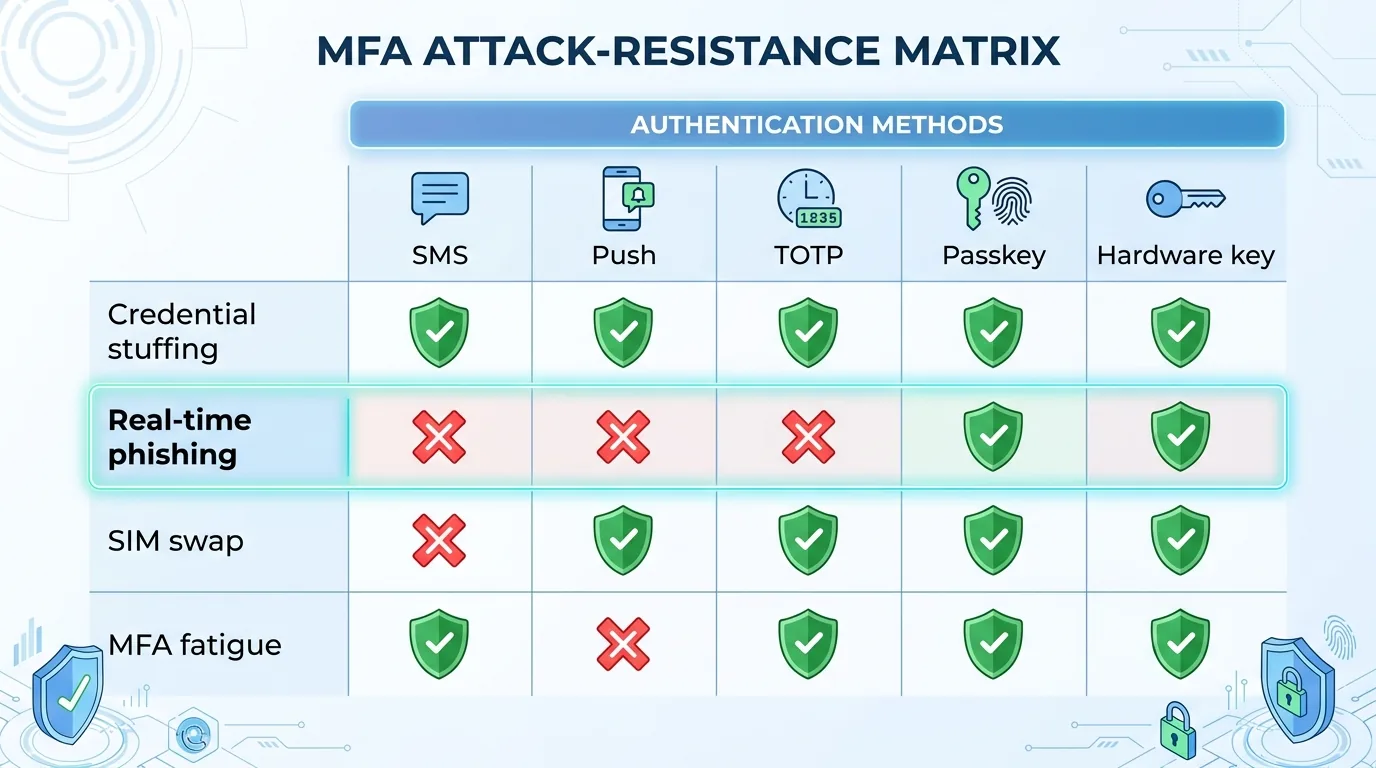
| Attack | SMS | Push | TOTP app | Passkey | Hardware key |
|---|---|---|---|---|---|
| Credential stuffing | Blocked | Blocked | Blocked | Blocked | Blocked |
| Real-time phishing | Vulnerable | Vulnerable | Vulnerable | Blocked | Blocked |
| SIM swap | Vulnerable | Blocked | Blocked | Blocked | Blocked |
| MFA fatigue | N/A | Vulnerable | Blocked | Blocked | Blocked |
| Device theft | Vulnerable | Vulnerable | Vulnerable | Mitigated by biometrics | Mitigated by PIN |
The row that matters is real-time phishing. Only the cryptographic methods block it, and phishing is the dominant attack against ordinary users.
Where to Start
Not all accounts deserve equal effort. Secure them in this order, because each one is the recovery route for the ones below it:
- Your primary email. Whoever controls it can reset everything else. Strongest available method, no exceptions.
- Your password manager. Same reasoning.
- Financial accounts. Banking, brokerage, payment services.
- Cloud storage and any account tied to a work identity.
- Social accounts, particularly any used for "sign in with" elsewhere.
If an account is compromised despite 2FA, the entry point is usually an unpatched flaw rather than a guessed password — see our explainer on what a zero-day vulnerability is.
Two setup habits that prevent the majority of lockouts: save recovery codes offline the moment they are offered, and register a second factor — a backup key, a second device — before you need it. Also remove your phone number as a recovery method on high-value accounts where you have stronger 2FA, since an attacker who can SIM-swap you may otherwise bypass the stronger method entirely through account recovery. That last point is the most commonly missed step in the entire process.
Frequently Asked Questions
What does 2FA mean?
Two-factor authentication — requiring two independent proofs of identity from different categories: something you know, something you have, or something you are. A password plus a code from your phone is 2FA; a password plus a security question is not, because both are things you know.
Is SMS 2FA safe?
It is better than no 2FA, but it is the weakest common method. It is vulnerable to SIM swapping, real-time phishing and network interception, and NIST has discouraged it as an authenticator for years. Avoid it for email, banking and password manager accounts.
What is the most secure form of 2FA?
A hardware security key implementing FIDO2 and WebAuthn. Because the credential is cryptographically bound to the website's domain, phishing sites cannot use it regardless of how convincing they look. Passkeys offer the same protection with more convenience.
Can 2FA be bypassed?
Code-based methods can be. Real-time phishing captures and relays a code within its validity window, SIM swapping redirects SMS codes, and MFA fatigue attacks exploit repeated push prompts. Domain-bound methods such as passkeys and hardware keys are not vulnerable to phishing in this way.
What happens if I lose my 2FA device?
You lose access to every account protected by it unless you prepared. Save the recovery codes offered at setup somewhere offline, and register a second factor such as a backup security key or a second device before you need it.
Are passkeys the same as 2FA?
Not exactly. A passkey typically replaces the password entirely rather than adding a second step, combining possession of the device with a biometric or PIN in one action. Functionally it delivers multi-factor security with a single interaction.